How to clip GTA 6 on PS5 and Xbox
Written by the developer of CutBench, so this is not an independent review.
GTA 6 comes out on 19 November 2026 for PS5 and Xbox Series X|S only, so its clips start on the console: the PS5 saves up to the last hour, the Xbox up to the last 2 minutes. For a long session, stream it to Twitch from either console, then give the VOD link to CutBench on a Windows PC.
Before 19 November: a checklist
- Turn HDR off for the sessions you plan to clip.
- Save clips as MP4 instead of WebM.
- Link Twitch or YouTube under Linked Services.
- On Twitch, turn on Store Past Broadcasts before going live.
- Capture to an external drive for recordings of up to an hour.
- Link Twitch under Capture & share > Live streaming.
- On Twitch, turn on Store Past Broadcasts before going live.
PS5 and Xbox side by side
| PS5 | Xbox Series X|S | |
|---|---|---|
| Save what just happened | the last 15 seconds up to the last hour | the last 30 seconds, or up to the last 2 minutes |
| Record from now on | up to an hour | up to 10 minutes on internal storage, an hour on external storage |
| Stream to | Twitch or YouTube | Twitch |
| On the console | Media Gallery | Capture & share > Recent captures |
| To a phone | the PlayStation App, with Auto-Upload on: up to 1080p and 3 minutes, kept 14 days | the Xbox app, after the automatic upload |
| To a PC | a USB drive formatted as exFAT | the Xbox app on a Windows PC shows them after the automatic upload |
Checked on 15 November 2026 on the official pages: PlayStation’s pages on capturing and broadcasting, Xbox’s pages on capturing and streaming to Twitch, and Twitch’s page on past broadcasts.
Step by step on each console
 How to clip on XboxSaving the last 30 seconds or 2 minutes, recording up to an hour, where clips go, and a session streamed to Twitch.
A whole session into vertical clips
A GTA session can run for hours, longer than either console records in one go. Both consoles can stream it live to Twitch, and a PS5 can also broadcast to YouTube.
Turn on Store Past Broadcasts in the Stream Settings of Twitch’s Creator Dashboard, on the web, before going live. Twitch then keeps the VOD for 7 days, or 14 for Affiliates and 60 for Partners and Prime or Turbo users, so CutBench has to download it before then.
CutBench downloads the VOD to the PC, works through the whole recording and ranks the moments into vertical clips.
Keep the radio low. Twitch mutes stretches of a VOD in which it recognises licensed music, and the radio in GTA games plays licensed songs; a muted stretch gives CutBench less to go on.
On Twitch a live broadcast is public, and its VOD is published by default; CutBench needs it to stay published. To keep a session off the internet, a capture card feeding OBS on the PC records it as one file, and CutBench takes that file too.
Both routes need a Windows PC, and CutBench is built for an NVIDIA graphics card with 6 GB of VRAM or more; on AMD or Intel Arc graphics it runs on the processor, tens of times slower. Without such a PC, a cloud clip maker that takes a Twitch VOD is the simpler route.
The routes step by step, with photos of each screen, are on the PS5 page; the same for Xbox is on the Xbox page.
No PC version announced: what that means for clips
Rockstar’s page for the game gives 19 November 2026 for PS5 and Xbox Series X|S, and no PC version has been announced. The game is played on the console, but the clipping does not have to happen there: a PC can cut the stream’s VOD.
What CutBench can promise for GTA 6
CutBench has no list of supported games; it has not been run on GTA 6 yet, because the game is not out, and this page will say what a real session gives once it is. Its ranking leans on what happens on screen and in the game audio, and it looks for the same things in every game.
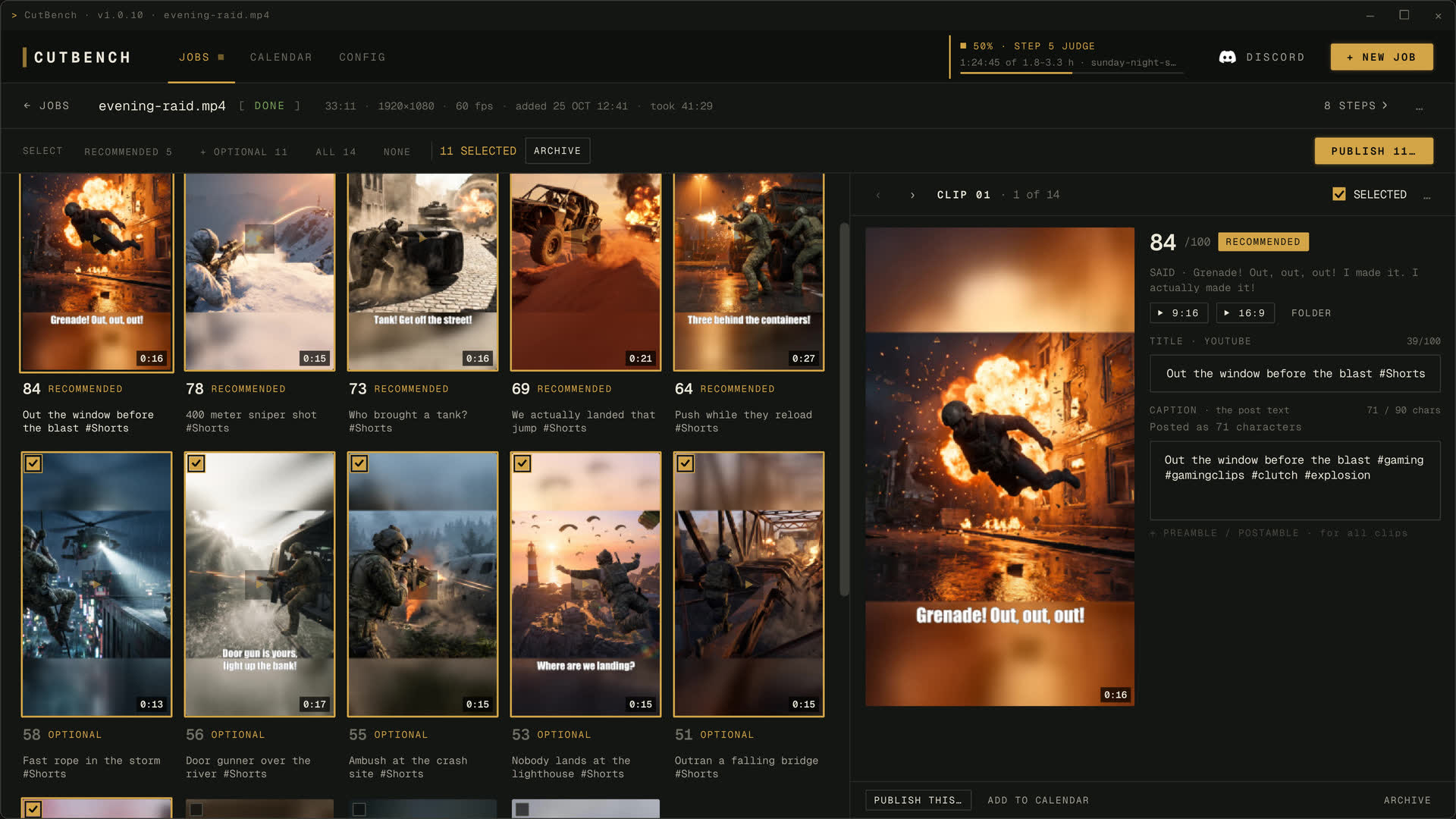
From a 23-minute GTA Online session, most of it riding and driving, CutBench cut two clips, 17 and 12 seconds long. Here the recording and the clips are shortened and without sound. GTA 6 is not out yet; this page will show GTA 6 clips once it is.
Clips that get watched
Numbers from our own YouTube Shorts, almost all of them clips CutBench cut:
- Length. On 193 Shorts, clips of 21 to 26 seconds had the highest median views, 726, against 216 to 691 in the other length bands.
- The start. Comparing the top and bottom thirds by views, 56 Shorts each, the share of viewers still watching differs from the first second, and after 25 seconds the difference is no longer significant.
- Loops. The 11 Shorts that viewers watched more than once on average had a median of 1,034 views against 475 for the rest; they were also shorter, 17 seconds against 33.
For GTA, that means: start the clip on the crash, the jump or the shot, not on the drive towards it, and stop it when the moment is over.
For console players with a Windows PC and an NVIDIA card, CutBench turns a long session into vertical clips, ranked best first, with subtitles wherever someone speaks.
Questions people ask
Can I clip GTA 6 on PC?
No PC version has been announced: Rockstar has announced GTA 6 for PS5 and Xbox Series X|S only. The clipping can still happen on a PC, from a Twitch VOD of a console session.
How long can a PS5 or an Xbox record?
A PS5 saves up to the last hour, or records up to an hour. An Xbox saves up to the last 2 minutes, or records up to 10 minutes on internal storage and an hour on external storage.
Do I need a capture card?
No. Streaming from the console to Twitch is enough, because CutBench takes the VOD link. A capture card into OBS records the session as a file and keeps it off the internet.